Container Queries in Practice: Contextual Responsive Design
Media queries only ever answer one question: how wide is the browser window? Container queries answer a different one, and it's the one that actually matters for reusable components.
Paul Radford — Full-Stack Developer & Editor. Paul is a full-stack developer and editor of template.tips. Articles here are AI-drafted and reviewed by Paul, who knows the code well enough to catch what's wrong and cut the hype.
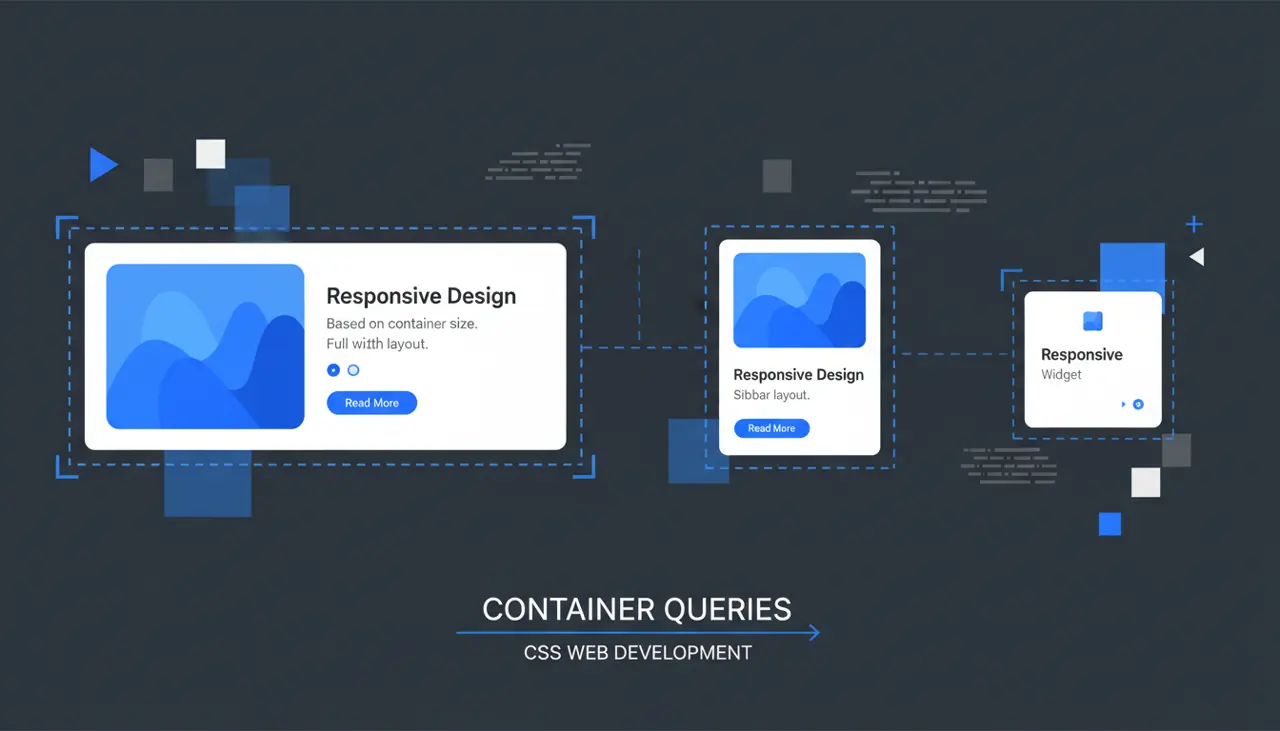
Container queries let a component adapt its layout based on the size of its parent container rather than the viewport, which means the same card, panel, or widget can render correctly whether it sits in a wide sidebar, a narrow one, or a modal. This solves the "component in isolation" problem that media queries never could.
What problem do container queries actually solve?
Media queries answer one question: how big is the viewport? That's fine for page-level layout, but it breaks down the moment you build reusable components. A product card might live in a three-column grid on the homepage and a single-column list on a search results page. With media queries alone, the card has no idea which context it's in, only how big the browser window is. You end up writing brittle overrides tied to page-specific class names, or you duplicate the component with slightly different markup for each layout.
Container queries flip the reference point. Instead of asking "how wide is the viewport," a component asks "how wide is my container." That container can be a grid cell, a flex item, a sidebar, or anything you've explicitly opted into. The result is a component that responds to where it's placed, not just to the size of the screen.
This matters most in design systems and CMS-driven layouts, where the same markup gets dropped into wildly different regions of a page. It matters less for full-page layout shifts (header, footer, page-level grid), where viewport-based media queries still do the job more simply.
Setting up a container: the two-line contract
Before any @container rule works, you have to mark an ancestor as a query container. This is the part developers forget, and it's the single most common reason container queries silently fail.
1/* Step 1: opt an element into being a query container.2 container-type controls what axis is measured:3 - inline-size: watches the container's width (most common)4 - size: watches both width and height (needed for block-axis queries)5 - normal: default, not a query container at all */6.card-wrapper {7 container-type: inline-size;8 /* container-name is optional but recommended once you have9 more than one type of container on a page */10 container-name: card;11}1213/* Step 2: write the query against that named container */14@container card (min-width: 320px) {15 .card {16 display: grid;17 grid-template-columns: 120px 1fr;18 gap: 1rem;19 }20}2122@container card (max-width: 319px) {23 .card {24 display: block;25 }26}Notice that the query targets .card, a descendant of .card-wrapper, not the container itself. A container query never applies its own size-based styling to the element that establishes the container. If you need the container element to also change its own layout, wrap it one level deeper. This trips up almost everyone the first time.
The shorthand container: card / inline-size; combines both declarations if you prefer fewer lines.
How do you avoid layout thrashing and infinite loops?
Because a container query can change the size of the very element being measured, there's a theoretical risk of feedback loops: the query changes padding, which changes width, which triggers the query again. The CSS Containment spec explicitly guards against this by defining containment rules that prevent a container's own size from depending on its children when container-type is set. Practically, this means:
- Avoid setting width: fit-content or similar intrinsic sizing on a query container while also trying to query its own descendants for size-dependent width changes that feed back into that intrinsic calculation.
- Prefer inline-size over size unless you genuinely need to query height. Height-based containment forces the browser to establish size containment on the block axis too, which can affect how the container's height interacts with its content, particularly with absolutely positioned children or margin collapsing.
- Test with real content, not placeholder boxes. Text reflow, images without explicit dimensions, and dynamically loaded content are the usual sources of surprising container-size changes.
In over a year of shipping container queries in production dashboards, the actual failure mode I've hit most often isn't an infinite loop, it's forgetting that container-type: inline-size also applies layout containment, which means the container becomes a new formatting context. That can quietly break position: absolute children that expected to be positioned relative to a further-up ancestor, and it can affect how z-index stacking resolves. Check any absolutely positioned overlays inside a component before you add container-type to its wrapper.
Container query units: cqw, cqh, cqi, and the rest
Alongside the @container rule, CSS gives you length units scoped to the nearest query container: cqw, cqh, cqi, cqb, cqmin, and cqmax. These behave like vw/vh but relative to the container instead of the viewport.
1.card-wrapper {2 container-type: inline-size;3}45.card__title {6 /* Font size scales with container width instead of viewport width.7 1cqi = 1% of the container's inline size. */8 font-size: clamp(1rem, 4cqi, 1.5rem);9}1011.card__thumbnail {12 /* Keeps a consistent aspect ratio relative to container width13 without needing a separate @container breakpoint. */14 width: 30cqw;15 aspect-ratio: 1 / 1;16}These units are genuinely useful for typography and spacing that should scale continuously with available space, rather than jumping at discrete breakpoints. Combine them with clamp() so you get a fluid minimum and maximum instead of unbounded scaling, especially in a container that could theoretically be very wide (a full-width hero inside a container query context) or very narrow (a collapsed sidebar).
When should you reach for container queries instead of media queries?
Use container queries when the component's layout should depend on the space it's given, not the device. Card grids, sidebar widgets, comment threads, product tiles, and any component distributed via a design system are the clearest candidates. If you find yourself writing .sidebar .card { } overrides just to reshape a component based on where it lives, that's the signal to switch.
Stick with media queries for page-level structural decisions: whether the main navigation collapses into a hamburger, whether a page uses a two-column or one-column reading layout, or anything tied to actual device characteristics like prefers-color-scheme or pointer: coarse. Container queries have no equivalent for those, and trying to force page-level layout through container queries usually means wrapping the whole page in an unnecessary container just to get access to @container, which adds a layer of containment you don't actually want at that scale.
A reasonable rule of thumb: if the answer to "what should this look like" depends on "who is the parent," use a container query. If it depends on "what device or window is this," use a media query. Many real layouts use both, media queries for the page shell and container queries for the components inside it.
Browser support and the practical fallback story
As of early 2026, @container size queries have shipped in every major browser: Chrome and Edge since version 105 (August 2022), Firefox since version 110 (February 2023), and Safari since 16.0 (September 2022). Container query units (cqw, cqi, etc.) followed in the same rough timeframe across all three engines. You can confirm current support details on caniuse before committing to a no-fallback approach on a project with strict legacy support requirements.
Style queries (querying a container based on a custom property value rather than size, using @container style(...)) are newer and less consistently supported, so treat that feature as progressive enhancement rather than something to depend on for critical layout in 2026.
For the vast majority of new projects, you no longer need a JavaScript polyfill or ResizeObserver-based workaround. If you must support older Safari versions (pre-16) or an enterprise Chromium build frozen below 105, wrap the container-query-dependent styles in a @supports (container-type: inline-size) block and provide a single-column or stacked fallback outside it. That fallback doesn't need to be elaborate, it just needs to not look broken.
1/* Fallback for browsers without container query support */2.card {3 display: block;4}56@supports (container-type: inline-size) {7 .card-wrapper {8 container-type: inline-size;9 }1011 @container (min-width: 320px) {12 .card {13 display: grid;14 grid-template-columns: 120px 1fr;15 }16 }17}Testing it for real
Don't just resize the browser window and call it done, since that only proves the outer viewport works. Open DevTools, select the container element itself, and drag its box directly in the layout panel: Chrome and Firefox both let you resize an element's box independently of the window when you inspect it. Drop the same component into three different parent widths on the same page (a full-width row, a sidebar, a modal) and check that each one picks the right breakpoint without touching a single media query. If you're using a component library or CMS, build a small test harness page with three or four differently sized wrapper columns and leave it in your repo. It catches regressions faster than any visual diff tool, because you can eyeball all the size variants at once instead of hunting through pages that happen to render the component narrow. That harness page is also the fastest way to explain container queries to a teammate who's only ever written media queries. Reference the CSS Containment specification if you need to settle a disagreement about exactly how containment interacts with positioning, and the MDN container queries guide for the full syntax reference when you're writing the rules themselves.
Related Articles

Writing Direction-Agnostic Layouts with CSS Logical Properties
Shipping a dir='rtl' version of a site used to mean mirroring every margin-left and padding-right declaration by hand. Logical properties make direction-awareness the rendering engine's job.

Building Layout Algorithms with subgrid and Masonry
Card headers and footers that refuse to line up across a grid, or a gallery with wildly uneven image heights, need two different layout algorithms. Here's which one solves which problem.

Anchor Positioning in Production: Beyond the Demo
Popper and Floating UI measure both elements on every scroll and resize event before writing inline styles. Anchor positioning moves that calculation into the browser's own layout engine.