Modern CSS Layout: Grid, Container Queries & Positioning
A guide to the CSS layout features that matter now: container queries, subgrid, masonry, anchor positioning, and logical properties.
Paul Radford — Full-Stack Developer & Editor. Paul is a full-stack developer and editor of template.tips. Articles here are AI-drafted and reviewed by Paul, who knows the code well enough to catch what's wrong and cut the hype.

Why "modern CSS layout" means more than Grid and Flexbox
Grid and Flexbox solved the layout problems of roughly 2017. They gave us two-dimensional and one-dimensional layout models that replaced float hacks and table-based markup, and most CSS written today still leans on them. But a second wave of layout features has shipped in browsers since, and it answers a different set of questions: not "how do I arrange boxes" but "how does a box know enough about its surroundings to arrange itself."
That second wave is what this page is about. Four capabilities in particular change how you should structure components and pages:
- Container queries, which let a component respond to the size of its own wrapper instead of the viewport.
- Subgrid and masonry, two different answers to "why won't my rows line up" and "why does my gallery look uneven."
- Anchor positioning, which ties one element's position to another without JavaScript measuring loops.
- Logical properties, which describe layout in terms of writing flow rather than fixed physical directions.
None of these replace Grid or Flexbox. They sit on top of them, and they solve problems that Grid and Flexbox were never designed to solve. This page explains what each one is for, where the boundaries between them are, and links out to the deeper, implementation-level articles on each.
Who this page is for, and who it isn't
This is a map, not a tutorial. If you already know exactly which feature you need and just want the syntax, skip to the relevant spoke article linked in each section below.
This page is useful if you:
- Build components that get reused in unknown contexts (sidebars, cards, dashboard widgets) and are tired of media-query workarounds.
- Maintain layouts that need to work in both left-to-right and right-to-left locales.
- Currently reach for a JavaScript positioning library to pin tooltips, popovers, or dropdowns to a trigger element.
- Want to know whether subgrid or masonry is the right tool before you start writing CSS, not after.
It is not useful if you are looking for a Flexbox or Grid primer from scratch, a framework comparison, or browser-support percentages and version history. Support windows move, and any specific number printed here would be stale within a release cycle. Check current support on caniuse.com before committing to any of these features in production, and treat everything below as "how it works," not "when you can ship it."
The core shift: querying the container, not the viewport
Media queries have one job: report the width of the browser viewport. For page-level layout decisions (stack the nav below 600px, widen the content column above 1000px) that's fine, because the viewport is the thing that changed.
But most layout decisions in a component-driven codebase aren't page-level. A card might live in a three-column dashboard, a single-column sidebar, or a full-width hero, all on the same page, all in the same viewport width. A media query can't see any of that. It only knows about the window. Media queries only ever answer one question, how wide is the browser window, and that's the wrong question for a component that has no control over where it's dropped.
Container queries answer the question that actually matters: how much space does this element have to work with, right now, regardless of viewport. You mark an ancestor as a query container, and descendants can switch layout based on that container's size rather than the window's. That turns a card component into something genuinely portable: it looks right whether it's sitting in a wide grid cell or a narrow sidebar slot, because it's reading its own box, not guessing from screen width. The full mechanics, including how to establish containment and what units come with it, are covered in Container Queries in Practice: Contextual Responsive Design. MDN's container queries reference is a solid place to confirm the exact at-rule syntax while you're implementing.
The practical implication for how you write CSS: if you catch yourself writing a media query inside a component's own stylesheet to handle a layout concern that has nothing to do with the page as a whole, that's usually a sign the query belongs on the container, not the viewport.
Two different layout problems that look similar: subgrid and masonry
Two recurring layout complaints sound alike but need different fixes.
The first: you have a row of cards, each with a header, a body, and a footer, and no matter what you try, the headers and footers refuse to line up across cards because each card's internal content pushes its own sections around independently. This is a nesting problem. The cards are grid items in an outer grid, but their internal layout is a separate grid with no awareness of the outer one's row tracks.
The second: you have an image gallery where every item has a different aspect ratio, and forcing them into uniform grid rows either crops images awkwardly or leaves ugly gaps. This is not a nesting problem, it's a packing problem. You don't want alignment across a shared track structure, you want items placed to minimize wasted space regardless of height.
These need two different layout algorithms, and CSS now has a named tool for each. Subgrid lets a nested grid inherit the track definitions of its parent, so a card's internal header, body, and footer rows line up with the equivalent rows in every sibling card, because they're literally sharing track sizing rather than each computing their own. Masonry (where supported) drops the strict row-by-row placement entirely and packs items into columns based on available vertical space, which is exactly the packing behavior an uneven-height gallery needs and a card grid usually doesn't.
Reaching for masonry to solve the card-alignment problem, or subgrid to solve the gallery problem, will not work, because they're built for opposite goals: one enforces shared structure, the other deliberately breaks structure to pack tightly. Building Layout Algorithms with subgrid and Masonry walks through both cases in detail, including where the line between them sits when a layout has elements of both problems. MDN's subgrid guide is worth reading alongside it for the underlying grid-template-columns/rows inheritance model.
Positioning that doesn't need a scroll listener
Before anchor positioning, tying a floating element (a tooltip, a popover, a dropdown menu) to a trigger element meant JavaScript. Libraries like Popper and Floating UI became near-standard dependencies for this, and they work by measuring both elements, the trigger and the floating box, on every scroll and resize event, then writing the result back as inline styles. That's a continuous read-then-write loop running on the main thread, on events that fire constantly.
CSS anchor positioning moves that calculation into the browser's own layout engine instead of a script re-measuring on every scroll and resize. You designate an element as an anchor, then position another element relative to it using anchor-based values, and the browser handles keeping them aligned as the page scrolls or resizes, without a JavaScript event loop doing the arithmetic. That's a meaningful architectural difference, not just a syntax convenience: it removes an entire category of scroll-jank bug and a runtime dependency at the same time, for the cases the browser's implementation actually covers.
It doesn't mean ripping out every positioning library immediately. Production use has edge cases around fallback positioning, cross-browser behavior, and what happens when the anchor itself scrolls out of view, and those are exactly the gaps that "it works in the demo" glosses over. Anchor Positioning in Production: Beyond the Demo covers what breaks when you move past the simple tooltip example. MDN's CSS anchor positioning module page is the right reference for the current property and function set while you're testing it against your own trigger-and-popover patterns.
Layout that doesn't assume left-to-right
Everything above deals with size and position. Logical properties deal with direction, and they matter as soon as a layout has to work in more than one writing mode.
The old way of supporting a right-to-left locale was to ship a second stylesheet, or a build step, that mirrored every physical property: margin-left became margin-right, padding-right became padding-left, and so on, by hand, for every rule that touched a horizontal direction. Shipping a dir="rtl" version of a site used to mean exactly that: mirroring every margin-left and padding-right declaration by hand, and hoping nothing got missed in a later update.
Logical properties remove the need for that translation step by describing spacing and sizing relative to text flow instead of physical screen edges: margin-inline-start instead of margin-left, padding-block-end instead of padding-bottom, and so on. Written this way, direction-awareness becomes the rendering engine's job. Switch the dir attribute or the writing mode, and the layout follows, because the CSS was never actually about "left" or "right" in the first place, it was about "start" and "end" relative to how the content flows.
This isn't only an RTL feature. Vertical writing modes and certain internationalization edge cases benefit from the same logical/physical split. Writing Direction-Agnostic Layouts with CSS Logical Properties covers the full property mapping and the cases where mixing logical and physical properties in the same ruleset causes subtle bugs. MDN's CSS logical properties and values page has the complete property table if you're auditing an existing stylesheet for physical-property holdovers.
How these four fit into one mental model
It helps to place these four capabilities on two axes rather than treat them as an unordered feature list.
One axis is what question the CSS is answering: size (container queries), structure (subgrid and masonry), position relative to another element (anchor positioning), or direction of flow (logical properties). They rarely compete for the same job. A component can use a container query to decide it's in "narrow" mode, use subgrid internally so its header still lines up with siblings, position a tooltip against one of its buttons with anchor positioning, and use logical properties throughout so none of that breaks when the page flips to RTL. These stack, they don't substitute for each other.
The other axis is what they replace. Container queries replace viewport-based media queries for component-level decisions. Subgrid and masonry replace layout hacks (fixed heights, JavaScript-measured columns, manual row syncing) for two distinct structural problems. Anchor positioning replaces JavaScript measurement libraries for element-to-element placement. Logical properties replace manual RTL stylesheets and physical-property duplication.
Seen that way, the common thread across all four is that CSS is absorbing responsibilities that used to require either a build-time step, a runtime library, or a maintenance burden of parallel rule sets. That's the actual shift "modern CSS layout" refers to: not new visual effects, but layout logic moving from your JavaScript and your process into the browser's own layout and rendering engine, where it can be computed once, correctly, as part of normal layout rather than bolted on afterward.
A rough decision path
When you're not sure which of the four applies, this ordering tends to hold:
- If the layout problem is "this component looks wrong depending on where it's placed on the page," start with container queries, not a media query.
- If the problem is specifically that nested elements won't align across siblings, look at subgrid. If the problem is specifically that items of different sizes leave gaps or force awkward cropping, look at masonry. Don't reach for one to fix the other's kind of problem.
- If you're maintaining a JavaScript positioning library purely to keep one element pinned near another, check whether anchor positioning already covers your case before adding more measurement code.
- If you support, or ever plan to support, more than one writing direction, audit for physical properties (left, right, margin-left, etc.) and migrate to logical equivalents before the RTL version becomes a separate maintenance project.
None of these four features requires adopting the others. You can use container queries with zero interest in anchor positioning, or migrate to logical properties without touching subgrid at all. Treat them as an independent toolkit, and reach for the one that matches the specific complaint you're dealing with rather than adopting all four because they happen to be trending together.
Where to go from here
Each of the four sections above links to a dedicated article that goes into the actual syntax, edge cases, and production considerations that this page deliberately leaves out. If you're dealing with a component that needs to behave differently depending on its wrapper's width, start with Container Queries in Practice: Contextual Responsive Design. If your problem is card alignment or an uneven gallery, Building Layout Algorithms with subgrid and Masonry will tell you which of the two you actually need. If you're maintaining tooltip or popover positioning code by hand, Anchor Positioning in Production: Beyond the Demo covers what changes once you move past a single static demo. And if direction support is on your roadmap at all, Writing Direction-Agnostic Layouts with CSS Logical Properties is worth reading before you write another physical-property declaration.
Taken together, these four pieces are less a list of new CSS features and more a description of where layout logic is heading: out of scripts and parallel stylesheets, and into the browser's own layout engine.
Related Articles
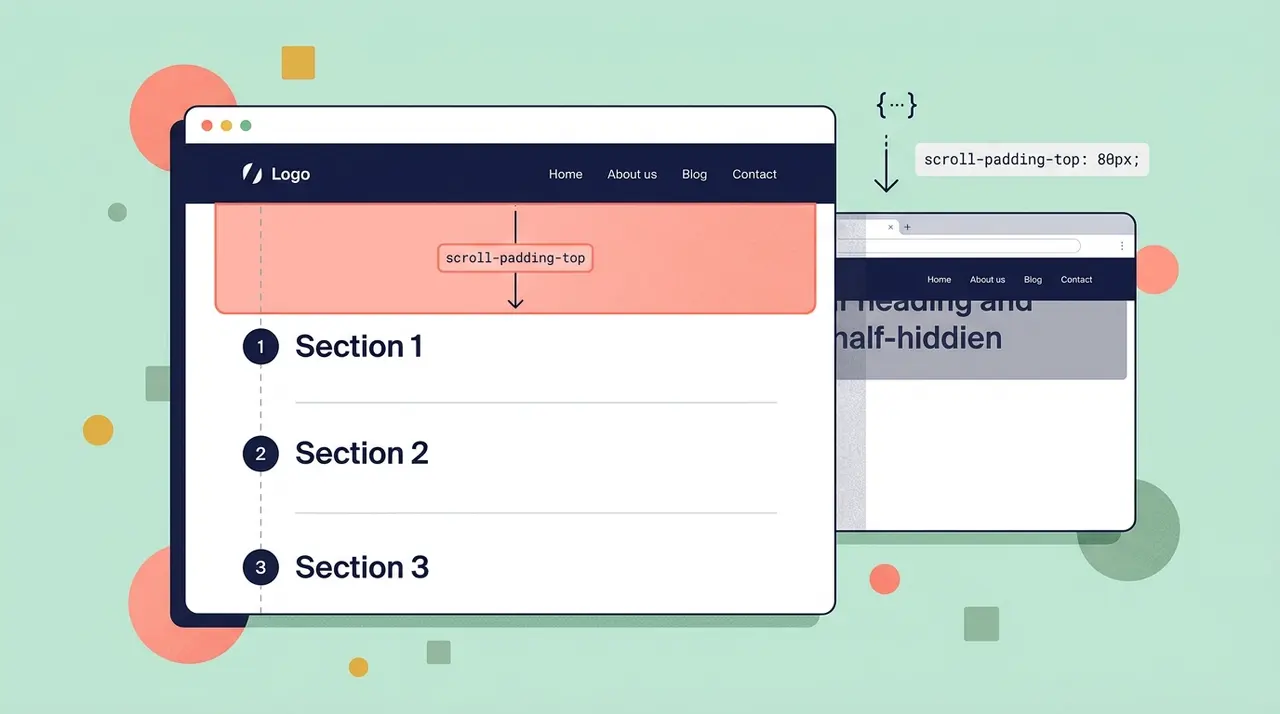
Fixing anchor link offset behind sticky headers with CSS scroll-padding
Explains how to use scroll-padding and scroll-margin to prevent anchor links from scrolling underneath fixed or sticky headers. Replaces old JavaScript offset calculations with native CSS.

Animating to height auto using CSS interpolate-size
height: auto was never a number the browser could interpolate toward, which is exactly why it never animated at all. These two features finally give the engine something concrete to target.
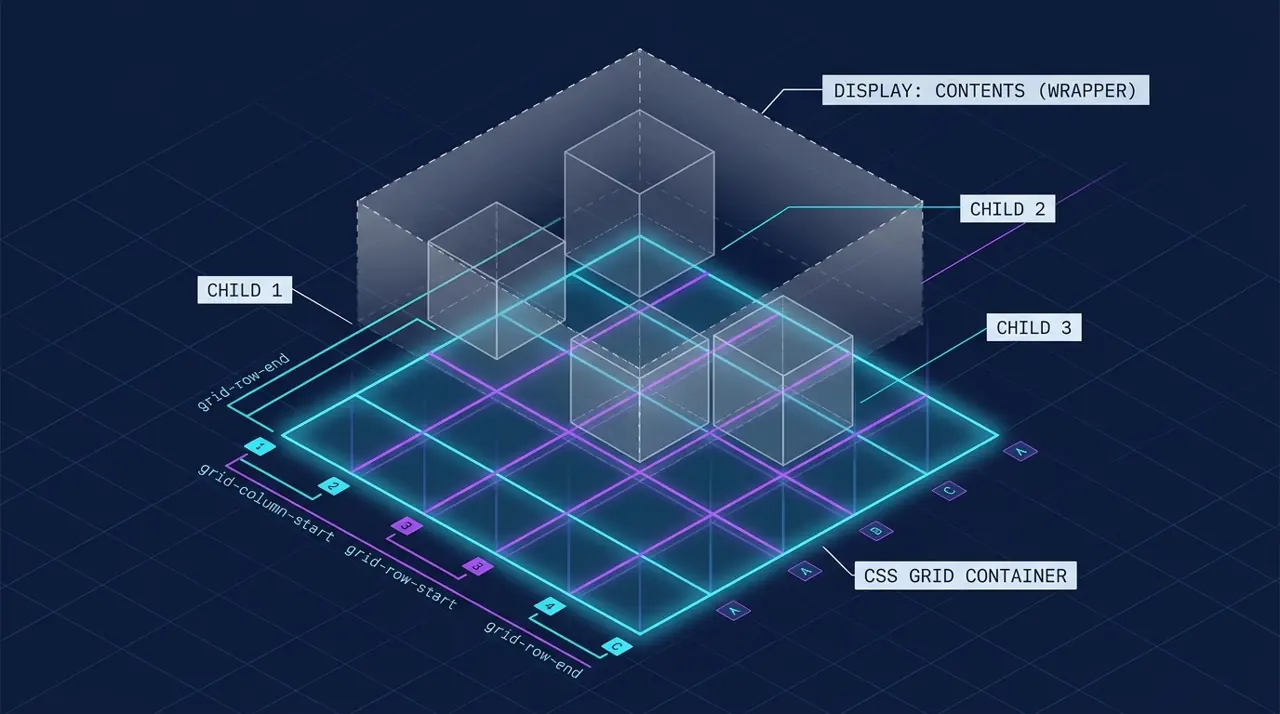
Removing wrapper nodes from CSS Grid and Flexbox with display: contents
Grid and Flexbox both expect their items to be direct children of the container, but semantic HTML forces wrapper elements in between. display: contents removes the wrapper's box, not its markup.